

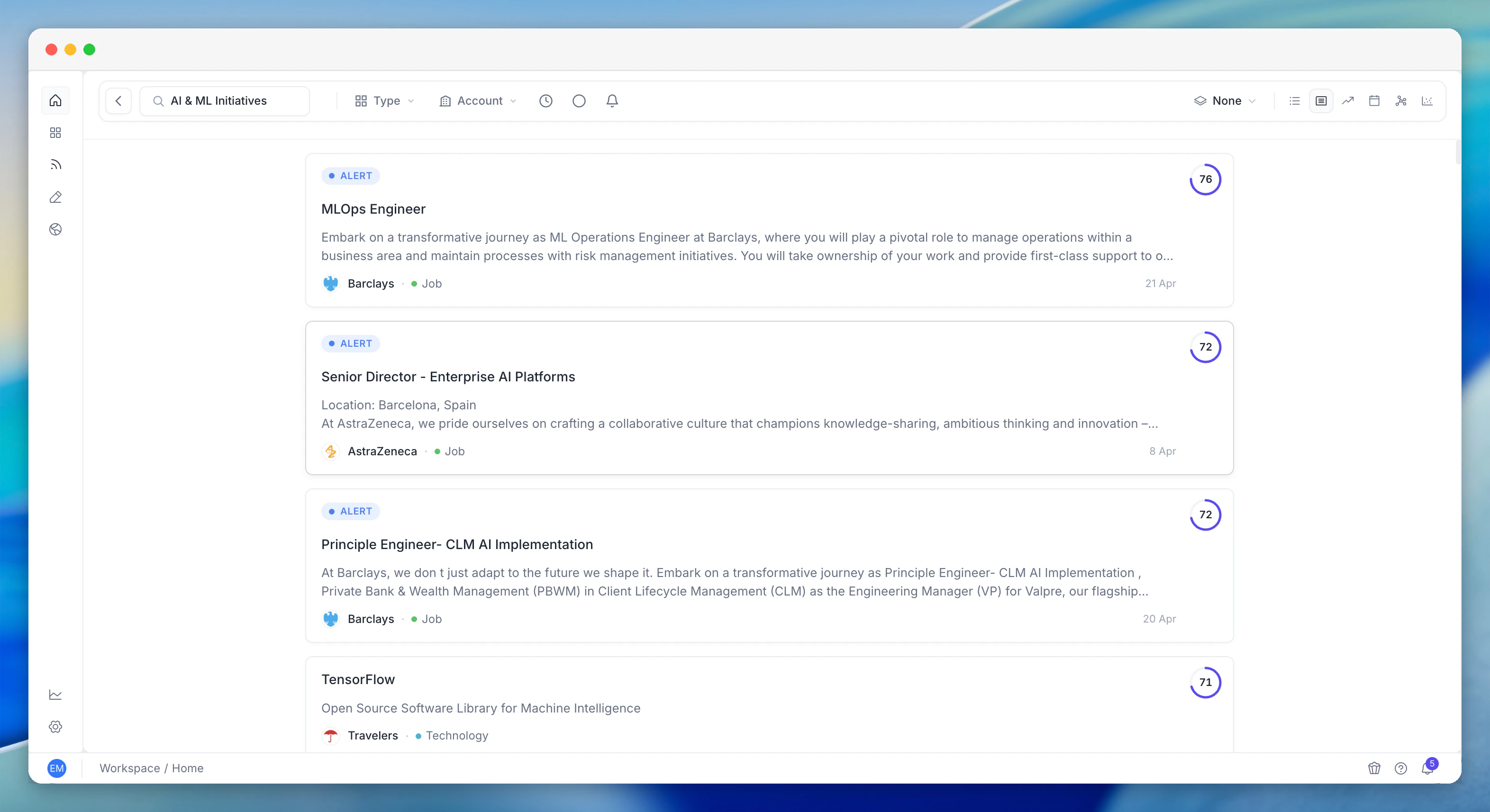
The same Unified Search engine powers single-company timelines, dashboards, and the global search bar. One search experience, consistent everywhere in PG:AI.
How it works
Type a natural-language query - “cloud migration strategy”, “companies investing in data engineering”, “recent leadership changes” - and Unified Search returns results from across every account in your portfolio, ranked by relevance. A search for “cloud migration strategy” might return:- The digital strategy a CTO articulated on the latest earnings call
- A new hire who just joined to lead the cloud migration project
- A news mention about the initiative that broke this morning
- The relevant technology in their stack
- An internal document you uploaded about the opportunity
Search scopes
Unified Search works at three levels:Single account
Search within one company’s intelligence. Find specific insights, contacts, or events for the account you’re focused on.
Your book of business
Search across all accounts you’re tracking. See which of your accounts have the strongest signals for a given topic.
Organisation-wide
Search across every account in your organisation’s PG:AI workspace. Discover accounts outside your book that other team members are tracking.
Filters
Refine results without losing context: By type - narrow to specific intelligence types: strategic priorities, goals, SWOT items, contacts, jobs, public events (earnings calls, investor days), news mentions, web pages, technologies, public filings, org documents, company documents, conversations, or content. By date range - last day, last week, last month, last quarter, last year, or a custom range. Useful for “what’s changed recently” queries. By account - focus on specific companies or expand to the full portfolio. Every result carries a relevance score so you can immediately see what’s worth your attention.Three views
The same search results can be displayed in three different ways, depending on what you need:- Timeline
- Company
- Relevance Graph
Chronological feed. Results ordered by date, most recent first. Best for answering “what’s changed recently?” or “what happened this quarter?”Each entry shows the intelligence type, the account it belongs to, a relevance score, and a preview of the content. Click to expand the full record in a sidebar.
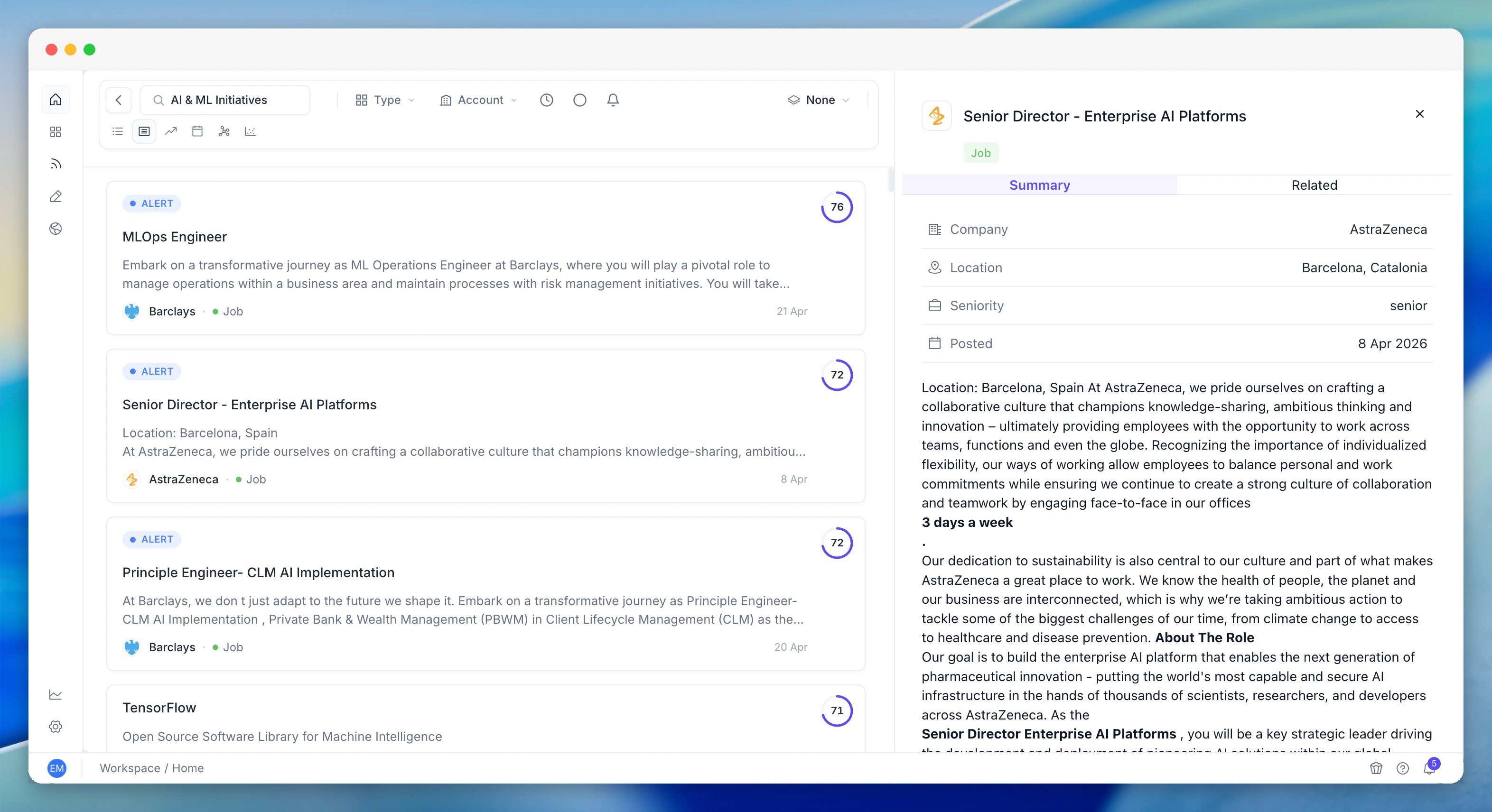
Drilling into results
Click any result to open a sidebar showing:- The full record with all content
- Source attribution - where PG:AI found this information
- Related items - other intelligence connected to this result
- A link to the full account page for deeper exploration
How to use it
Morning routine: Search for your key strategic topics to see what’s new across your accounts. Check if anything changed overnight. Meeting prep: Search the account name plus a topic - “Barclays AI strategy” - to pull everything PG:AI knows into one view before your call. Territory discovery: Search a broad topic - “digital transformation in financial services” - across the full organisation to find accounts you should be paying attention to. Competitive research: Search competitor names to see which of your accounts are mentioning them in earnings calls, news, or job postings. Cross-account patterns: Search a technology or initiative to see adoption trends across your portfolio. “Kubernetes adoption” shows which accounts are hiring for it, mentioning it in strategy documents, or adding it to their stack.Related features
Activity Pulse
Activity Pulse shows what’s happening across your portfolio at a glance. Use it alongside Unified Search for a complete cross-account view.
Account Intelligence
Every search result links to full account intelligence. Drill down from a search hit to the complete picture.
Studio Agent
Found something interesting in search? Jump to the Agent to ask questions, create documents, or trigger workflows based on what you found.