

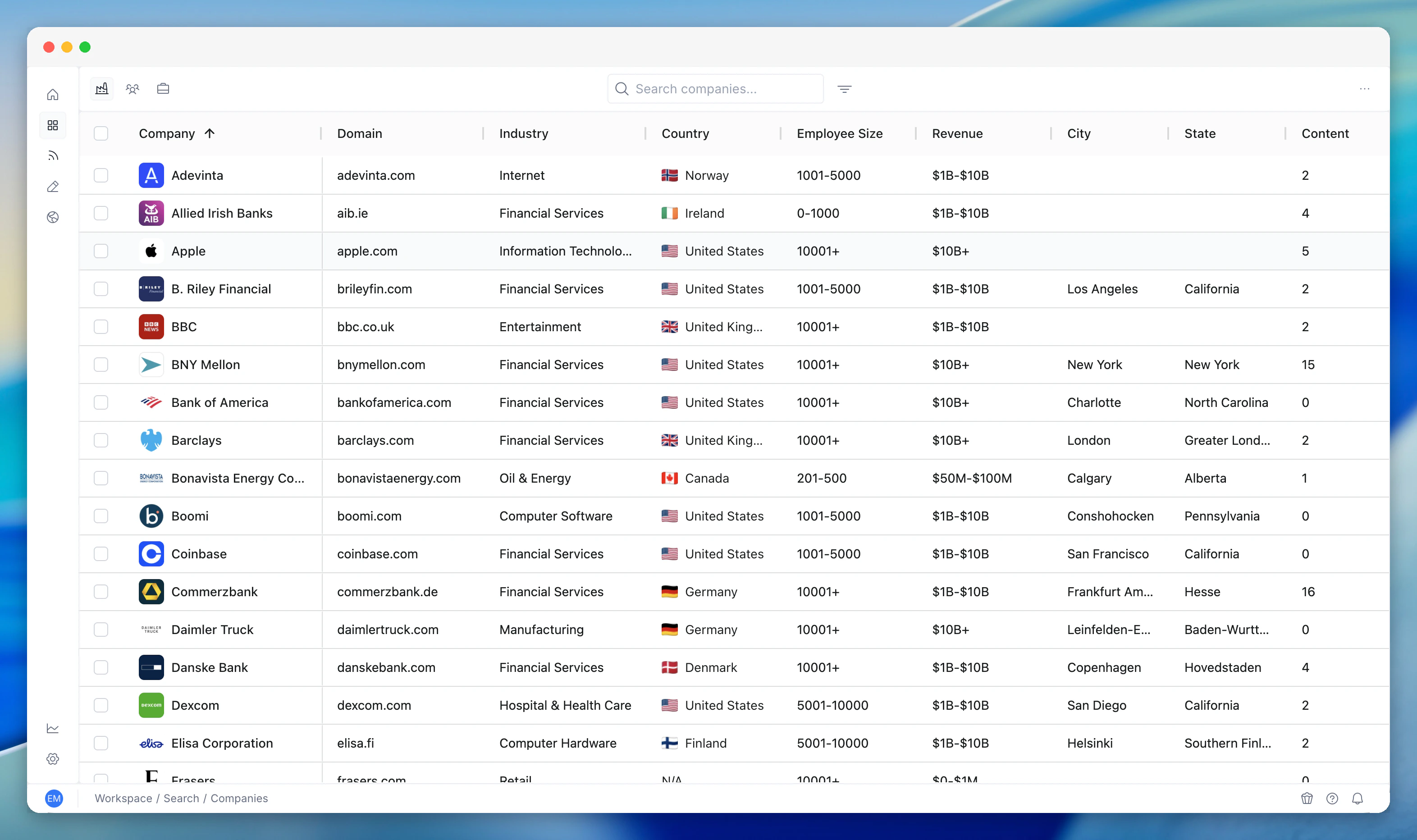
What you see
Every account in your workspace appears in the table with:- Company name and domain
- Industry - the sector classification
- Country - headquarters location
- Employee count - company size
- Revenue - annual revenue where available
- Content count - how much intelligence PG:AI has gathered for this account. Higher numbers mean deeper intelligence
Filtering
The sidebar gives you multi-faceted filtering:- Country - filter to specific geographies
- Industry - focus on specific sectors
- Revenue band - segment by company size
- Employee size - filter by headcount ranges
- City and state - drill into specific locations
- My Accounts - toggle to see only accounts assigned to you, or expand to the full workspace
Adding companies
Search for a company by name directly from Accounts. When you find it:- Click Add to bring it into your workspace
- PG:AI starts building intelligence immediately - no manual data entry, no CSV imports
- Enrichment runs automatically across all intelligence dimensions
How to use it
Portfolio management: Sort by content count to see which accounts have the deepest intelligence and which might need enrichment. Sort by revenue or employee count to segment by company size. Adding new accounts: When you pick up new accounts or start a new territory, use the search to add companies one at a time. For bulk additions, use Territory import. Quick lookup: Search for a specific company to jump straight to its account page. Faster than navigating through Territory.Related features
Territory
Territory is where you score, prioritise, and plan across accounts. Accounts is the simpler management view for the full portfolio.
Contacts
Accounts shows companies. Contacts shows people across those companies. Both live in Workspace.
Unified Search
Accounts lists your companies. Unified Search lets you query the intelligence inside them.