

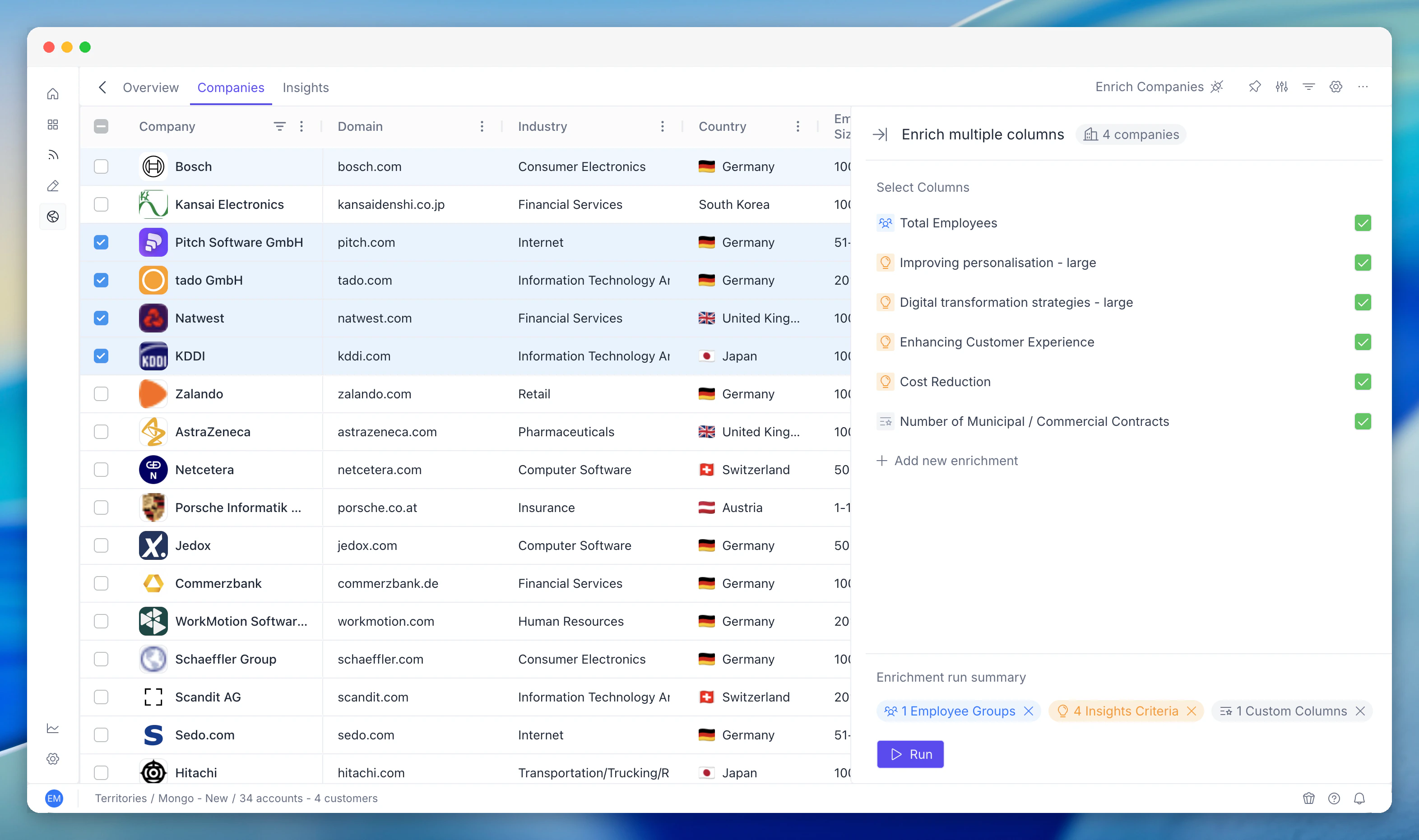
Key Capabilities
Enrichment Control
Enable or disable specific enrichment types per territory. Trigger batch enrichment across all accounts. Available types include tech stack, financials, jobs, contacts, and insights.
Run Tracking
Track every enrichment run with status, timing, and results. Drill into individual jobs to see what succeeded, failed, or is pending. Analyse territory enrichment coverage.
Insights Integration
Enrichment data feeds directly into account-level insights. Insights refresh automatically as enrichment completes.
What Enrichment Does
Enrichment is the process by which PG:AI gathers external data for every account in your territory. Instead of relying only on basic firmographic data (company name, size, industry), enrichment adds layers of intelligence:- Insight scores - how each account aligns to your strategic topics
- Employee groups - who works there and in what roles
- Jobs - what they’re hiring for right now
- Tech stack - what technologies they use
- Public intelligence - news, funding, partnerships, and other signals
How Enrichment Runs
Enrichment is configured at the territory level by your admin. Key things to know:- Enrichment runs automatically - once configured, PG:AI enriches accounts on a schedule without manual intervention.
- It’s cumulative - each enrichment run adds to and updates the existing data. It doesn’t start from scratch.
- Some data changes frequently - job postings and news update often. Employee data and tech stack change more slowly.
- New accounts get enriched - when accounts are added to the territory, they’re queued for enrichment.
Viewing Enriched Data
In the Companies Table
Enriched data appears as columns in the table. Depending on your territory’s Enriched Columns configuration, you might see:- Insight score columns (one per criterion)
- Employee group count columns (one per group)
- Job posting columns
- Tech stack and other enrichment columns
On Account Profiles
Click into any account to see the full enrichment detail - all insight scores, all employee groups, all job postings, tech stack, and any other enriched data. This is the richest view.Common Workflows
Checking Enrichment Freshness
1
Check enrichment status
Look at the enrichment status or last-enriched date on accounts (if visible).
2
Assess recency
Recently enriched accounts have the most current data.
3
Request a refresh if needed
If an account hasn’t been enriched recently and you’re about to engage, ask your admin to trigger a refresh.
Acting on Newly Enriched Data
After an enrichment run:1
Sort by PG:AI Score
Scores may have shifted - sort the Companies table to see the new ranking.
2
Check upward movers
Look for accounts that moved up significantly - these are newly surfaced opportunities.
3
Investigate drops
Check for accounts that dropped - investigate why (lost a key employee group? Stopped hiring?).
4
Review new insight scores
Check insight scores for recently added criteria.
Understanding Data Gaps
Not every account will have complete enrichment:- Small companies may have limited public data, leading to lower enrichment coverage.
- Private companies may have less available information than public ones.
- New accounts may not yet have been enriched (check the enrichment schedule).
Enrichment Types at a Glance
Tips and Best Practices
Don’t wait for enrichment to engage - if you have a meeting tomorrow, use whatever data is available. Enrichment is for systematic prioritisation, not a prerequisite for every action.
- Report data quality issues - if you see obviously wrong data (wrong industry, wildly off employee count), flag it. This helps improve the enrichment quality for everyone.
- Combine enrichment with your own intelligence - PG:AI enrichment is comprehensive, but you know things the platform doesn’t (relationship history, verbal commitments, internal champions). Layer both.
- Understand what drives your score - the score is only as good as the enrichment behind it. If insight scores aren’t populated (criteria not configured) or jobs aren’t being tracked, the score won’t reflect reality.
Related Modules
Strategic Insights Scoring
Enrichment data feeds the signals that criteria scores are derived from.
Scoring Models
Enrichment updates the data that scoring rules evaluate.
Jobs
Job data is one of the enrichment types that territory enrichment runs.
Custom Columns
AI enrichment for custom columns is a related enrichment path.
Territory Analytics
Enrichment status and coverage surface in analytics.