

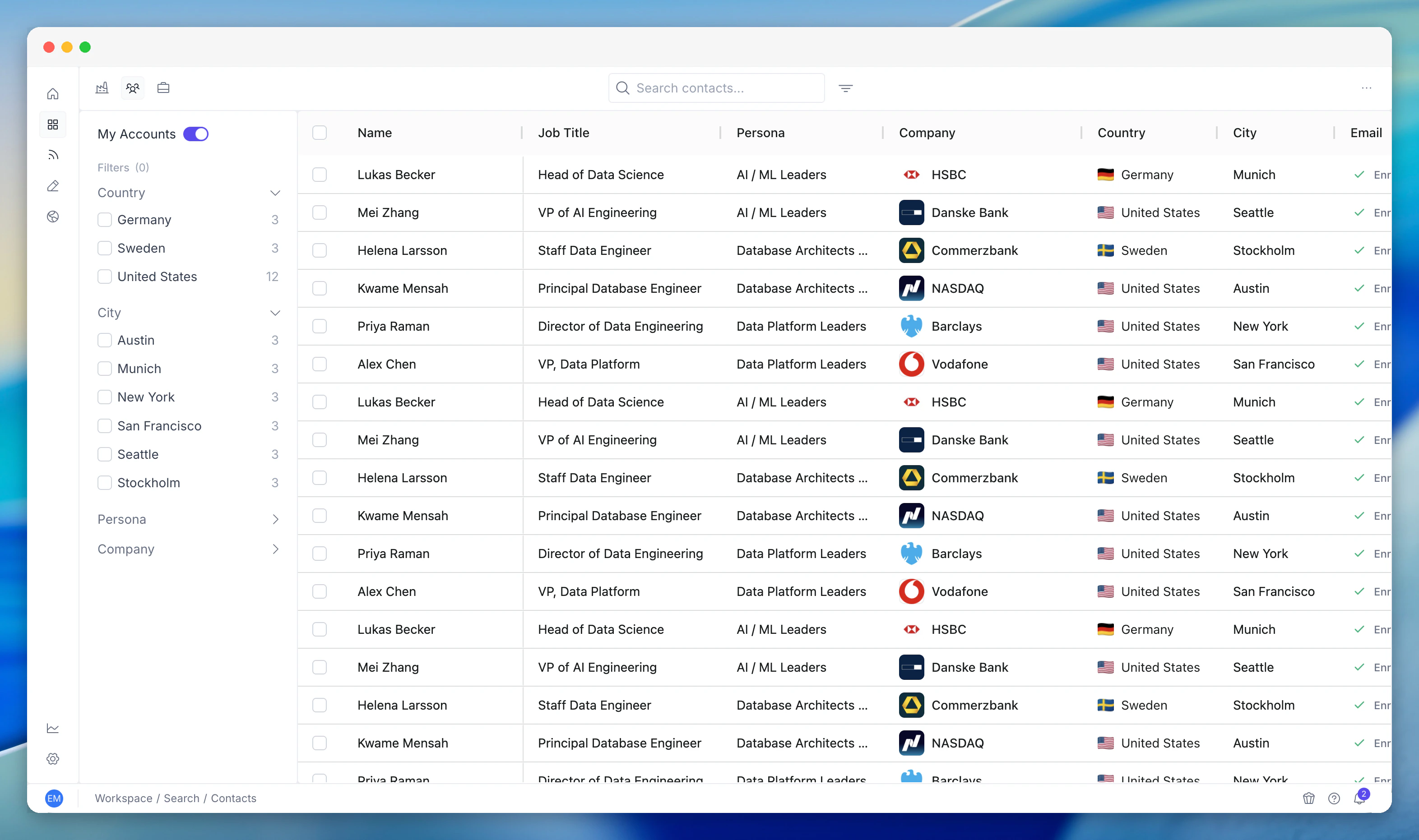
What you see
Every contact across all your accounts appears in the table with:- Name and job title
- Persona - the persona tag PG:AI has matched them to (e.g. “AI / ML Leaders”, “VP Engineering”, “CTO / CIO”)
- Company - which account they belong to
- Country - their location
- Email - verified email address where available
- Enrichment status - whether the contact has been enriched with additional data
Filtering
The sidebar filters let you slice the directory:- Persona - filter to specific buyer personas you’ve defined in Configuration
- Country - focus on specific geographies
- City - drill into specific locations
- Company - narrow to contacts at specific accounts
How to use it
Multi-threaded prospecting: Filter by persona across your entire portfolio to find all the right stakeholders at once. Build outreach lists without opening accounts individually. Event preparation: Attending a conference or industry event? Filter by city and persona to see which contacts from your accounts might be there. Team handoffs: When reassigning accounts, use the directory to quickly see all contacts associated with specific companies. Enrichment management: Sort by enrichment status to see which contacts need email and phone number enrichment. Prioritise enrichment for your most important personas.Related features
Contact Discovery
Discovery finds new contacts at target accounts. Contacts shows everyone you’ve already discovered and enriched.
Contact Intelligence
Click any contact in the directory to see their full intelligence profile - career history, expertise, buying role prediction, and relevance graph.
Accounts
Accounts shows companies. Contacts shows people. Both are cross-account views in Workspace.