

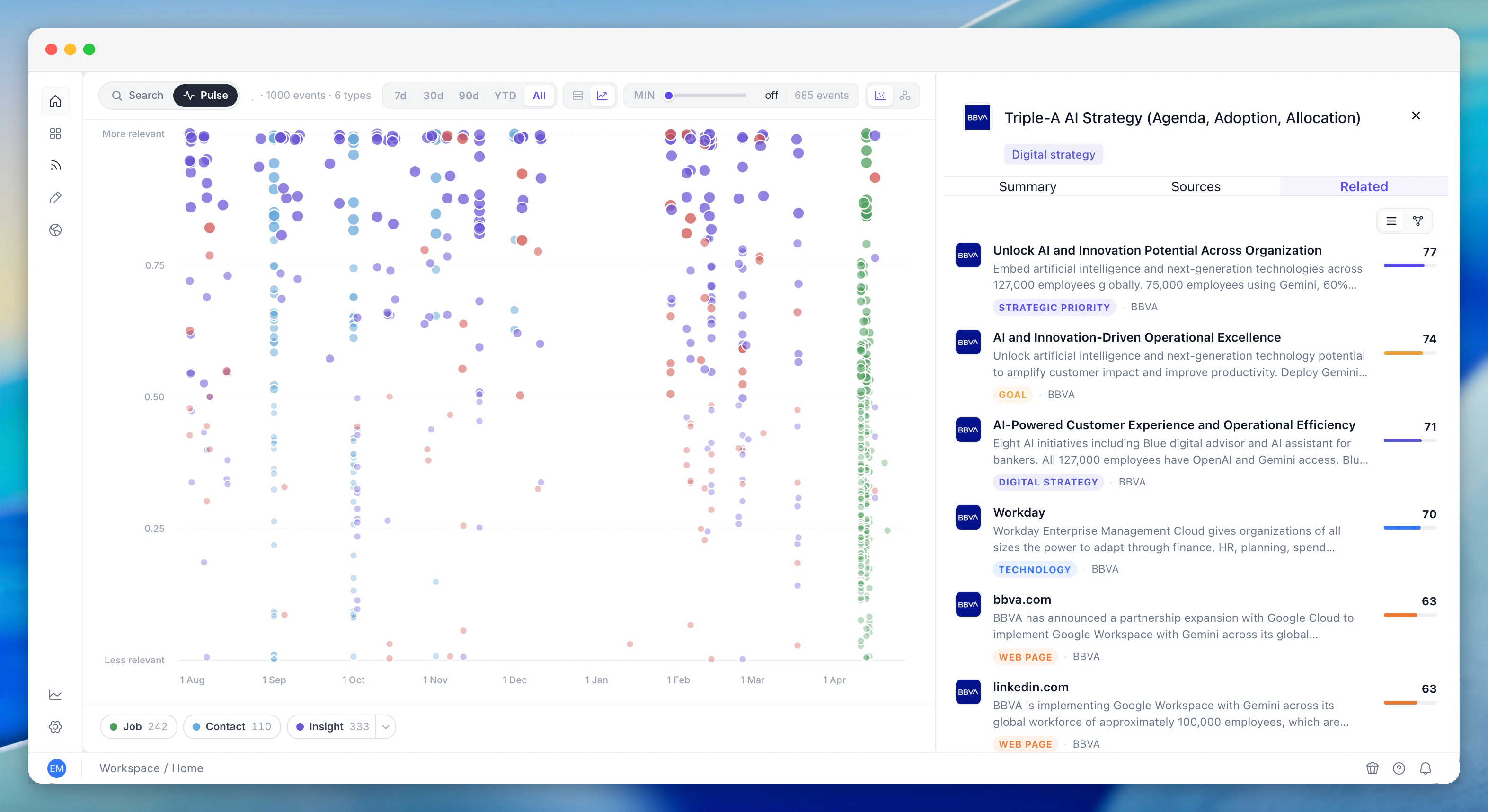
What you see
Events are shown so that the most strategically interesting moments stand out from routine noise. A new strategic priority disclosed in an earnings call reads differently from a routine job posting - you see the signal without needing to filter manually.Intelligent weighting
Activity Pulse is smart about volume. A company posting a thousand jobs in a week shouldn’t drown out three earnings-call insights from the same week. Built-in weighting ensures that a small number of high-signal events is just as visible as a large volume of low-signal noise:- High signal: A new strategic priority, a leadership hire, a risk disclosure, an earnings call with strategic shifts, a major technology adoption
- Moderate signal: News mentions, web page updates, conference presentations, analyst events
- Routine signal: Standard job postings, minor technology mentions, routine filings
Drilling down
From Activity Pulse, you can:- Open the details sidebar - full context, related items, and source attribution for any event
- Jump to Unified Search - read the full record of any event, with sources and related items
- Open the account - click through to the full account page for deep intelligence
How to use it
Morning check-in: Open Activity Pulse before anything else. Scan for heating accounts and unusual spikes. Prioritise your day based on what’s changed. Weekly review: Look at the last week’s activity across your portfolio. Identify which accounts had meaningful signals and which stayed quiet. Plan your outreach accordingly. Pre-meeting scan: Before a team meeting or pipeline review, check Activity Pulse to see which accounts have fresh intelligence. Walk in knowing what’s changed. Portfolio health: Over a longer time range, Activity Pulse shows you which accounts are consistently active (and therefore worth more attention) and which have gone dark.Related features
Unified Search
Spot something on the Pulse? Search the topic to see which other accounts have similar signals. Seamless transition between the two.
Monitoring
Monitoring watches for specific changes and sends alerts. Activity Pulse gives you the big-picture view that individual alerts can’t provide.
Territory Analytics
Territory Analytics shows scoring and segmentation. Activity Pulse shows real-time activity. Together they give you the full picture of your portfolio.