

Scope
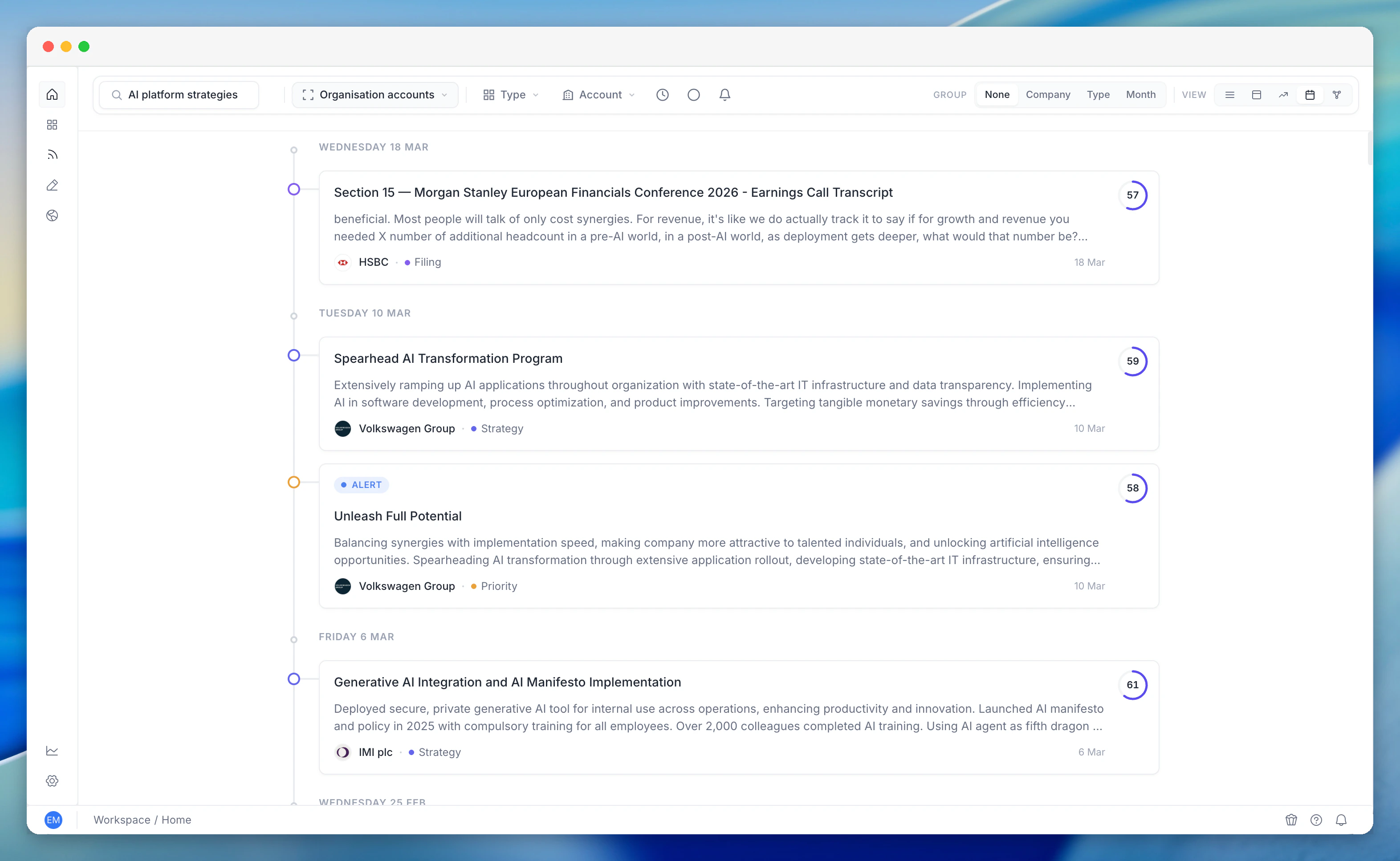
Each request can target:- A specific account - the most common use case, powering the timeline tab on a company page.
- The current user’s tracked accounts - a personal “everything happening across my book” feed.
- The entire organisation’s accounts - a manager- or org-wide view of activity across the full portfolio.
Filters
- Date range -
from_dateandto_dateconstrain the window. Defaults to the last 12 months. - Event kinds - narrow the stream to specific event types (e.g. only public events and contact joiners). Omit to include everything.
- Sort - ascending (oldest first) or descending (newest first). Descending is the default.
- Pagination -
pageandper_page(default 50). Real pagination, not just truncation, so the Timeline supports infinite scroll on the front end.
Event types surfaced
The Timeline is the consolidated feed for everything we know about an account’s activity, including:- Strategic priorities, goals, risks, and digital strategies - AI-generated insights linked to the account.
- Public events - earnings calls, investor days, AGMs, conferences, M&A announcements, and other corporate-calendar items.
- Job postings - net-new roles posted by the company, with title, location, and posting date.
- Contact changes - when a tracked contact joins or leaves a role at the company.
- Score updates - when the account’s territory or relevance score moves materially.
Performance characteristics
The Timeline reads directly from our Postgres entity tables - no vector search, no third-party API calls, no MongoDB round trip. Typical response time is about 100–300 ms for a single account over a 12-month window, scaling roughly linearly with the number of accounts in scope. It is the cheapest and fastest way to retrieve account activity in the platform, and it is fully cacheable downstream.Relationship to Unified Search and Activity Pulse
Three views, one underlying event model:- Activity Pulse - the at-a-glance view across your book of business, optimised for spotting which accounts and signals need attention right now.
- Unified Search - the relevance-ranked, answer-first, query-driven view.
- Company Timeline - the chronological feed: narrative-first, scroll-driven.
Related features
Unified Search
Query-driven, relevance-ranked search across all intelligence. Complements the Timeline’s time-ordered feed.
Activity Pulse
Portfolio-level view of what’s happening now. Pairs with Timeline when you need chronology for a specific account.