> ## Documentation Index
> Fetch the complete documentation index at: https://docs.getpg.ai/llms.txt
> Use this file to discover all available pages before exploring further.

# What's New in PG:AI V2

> A new GTM agent, composable canvases, territory planning, continuous monitoring, and a unified workspace. Everything rebuilt.

The way GTM teams research accounts hasn't changed in a decade. You Google the company, skim a 10-K, check LinkedIn, open a few tabs, and hope you remember what you found by the time you're on the call. Multiply that across 200 accounts and it's obvious why most reps only deeply understand a handful of their book.

PG:AI V2 changes that. A new Agent that researches autonomously. Composable canvases that turn intelligence into deliverables. Workflows that run at scale across your entire territory. Continuous monitoring that tells you when something changes and what to do about it. And a unified workspace that ties it all together.

This page covers what's new.

## Studio

Studio is where intelligence becomes action. The Agent researches. Canvas creates. Workflows scale. Everything is grounded in what PG:AI actually knows about your accounts.

### The Agent

This isn't the Q\&A assistant from V1. The new Agent works autonomously on your behalf: multi-step research, live data sources, content generation, and actions across your accounts. Ask it to prepare you for a meeting and it pulls strategic priorities, attendee profiles, competitive positioning, and recommended questions, all cited back to sources.

The Agent has full access to every intelligence dimension for the account you're viewing. Every response is grounded in what PG:AI actually knows, not a generic LLM answer.

<div className="my-4">
  <video src="https://res.cloudinary.com/dv8zk2qjf/video/upload/v1777655373/canvas-edit_b6x803.mp4" autoPlay controls muted playsInline preload="metadata" className="w-full rounded-xl">
    Sorry, your browser does not support embedded videos.
  </video>
</div>

### Canvas

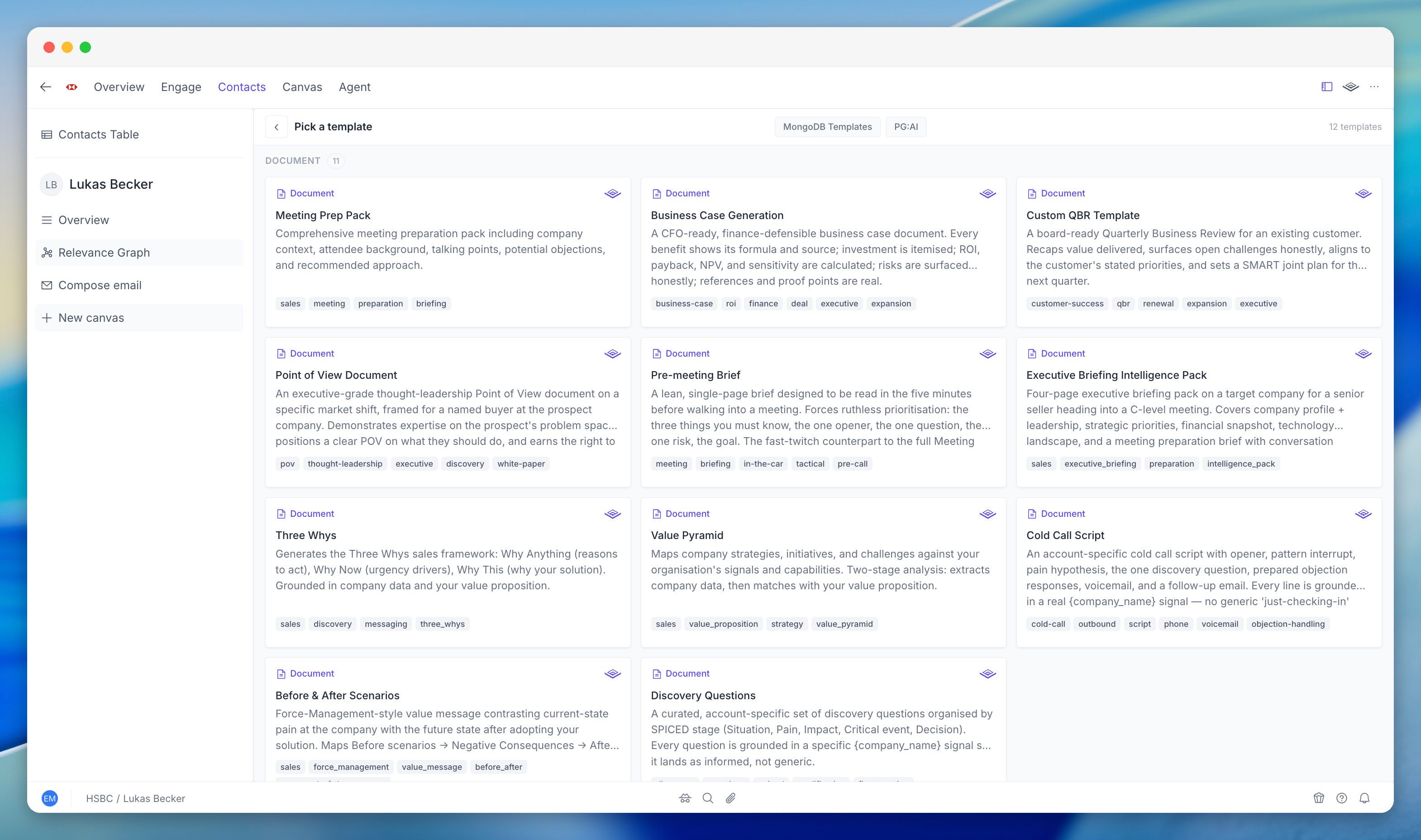
A composable content surface for generating, editing, and refining deliverables. Pick a template or start from scratch. The Agent writes a first draft pre-filled with account intelligence. You refine through conversation: "Make the competitive section stronger." "Add the CFO's comments from last quarter." Each revision draws on the full intelligence graph.

<div className="my-4">
  <video src="https://res.cloudinary.com/dv8zk2qjf/video/upload/v1777655035/canvas-display_jsqbc8.mp4" autoPlay controls muted playsInline preload="metadata" className="w-full rounded-xl">
    Sorry, your browser does not support embedded videos.
  </video>
</div>

Account briefs, meeting prep, email sequences, discovery questions, competitive comparisons, value pyramids. You can use the built-in templates or create your own that your team can reuse.

### Workflows

Multi-step agentic pipelines that run across accounts at scale. Define a sequence of steps (research, analyse, find contacts, generate outreach) and run it across 50 or 500 accounts at once. Workflows branch, run in parallel, and produce different outputs per step. Build once, run across your entire territory.

## Territory

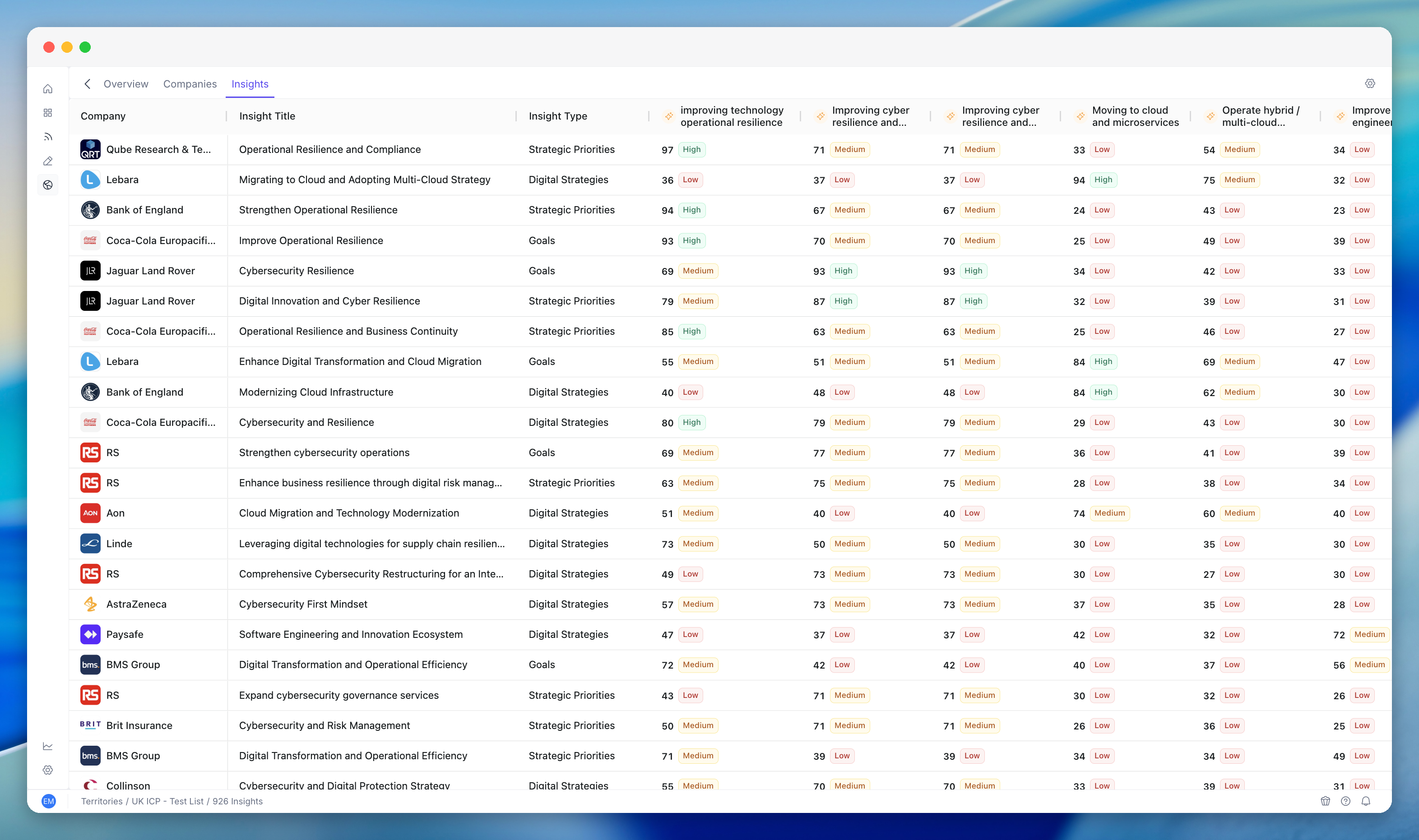
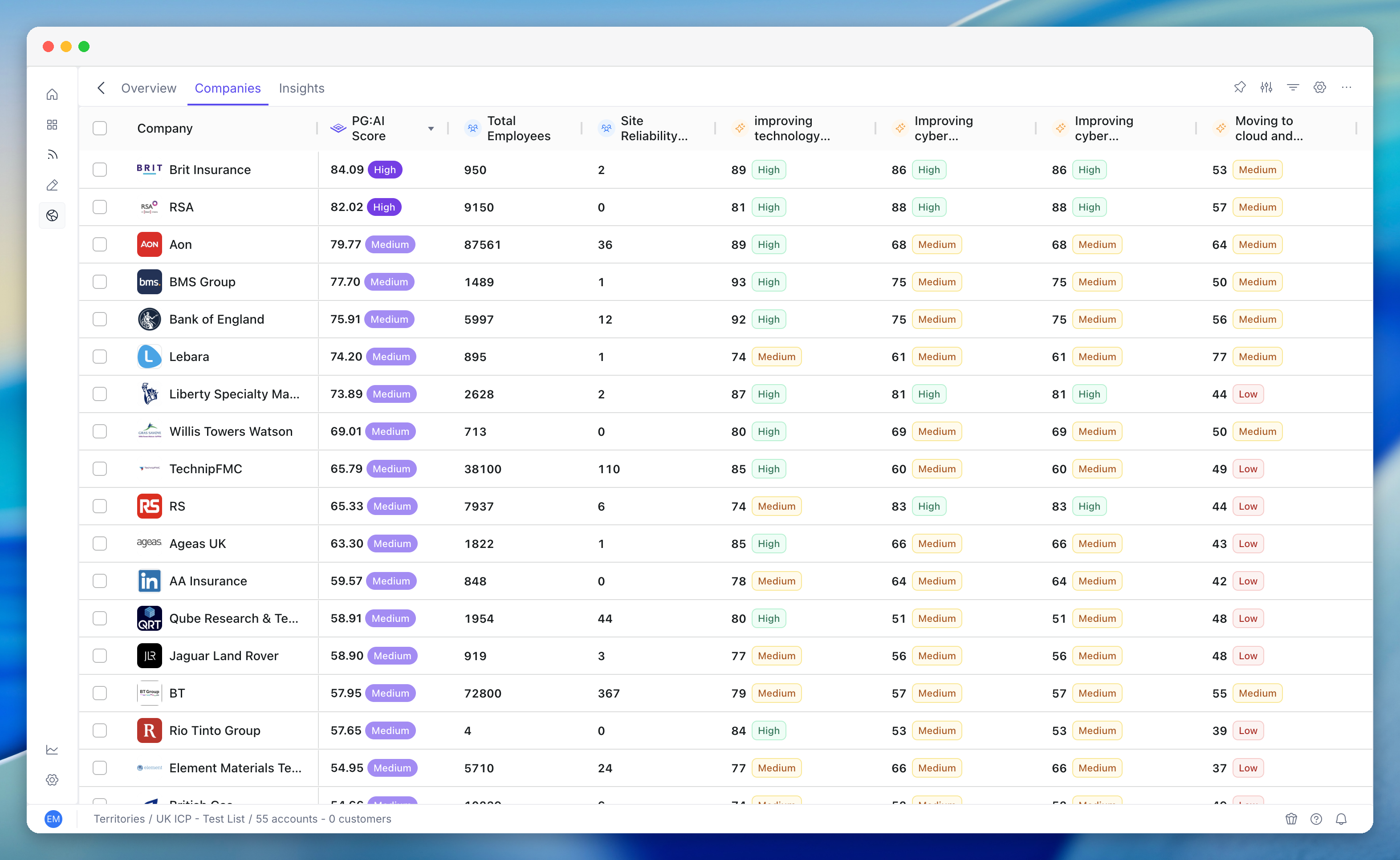
The go-to-market planning layer. Score and rank accounts, run AI-powered scenarios, and focus your team on the opportunities that matter most. Instead of static spreadsheets, Territory brings together enriched account data, configurable scoring models, and AI recommendations in one place.

<div className="my-6">
  <iframe src="https://res.cloudinary.com/dv8zk2qjf/video/upload/v1777055355/02_-_Territory_table_z1mxoc.mp4" className="w-full rounded-xl" style={{ aspectRatio: "16 / 9", border: 0 }} allow="autoplay; fullscreen; picture-in-picture" allowFullScreen />
</div>

**Territory scoring** — Score and rank accounts using configurable models that go beyond firmographics, incorporating strategic signals, hiring data, tech stack alignment, and competitive positioning.

**AI scenarios** — Run what-if scenarios across your territory: "What if we weighted hiring signals higher?" or "Show me accounts where our use cases align with their stated priorities." The AI re-ranks in real time.

**Team alignment** — Assign reps to territories and track coverage. See which accounts are under-covered and which reps need support.

## Monitoring

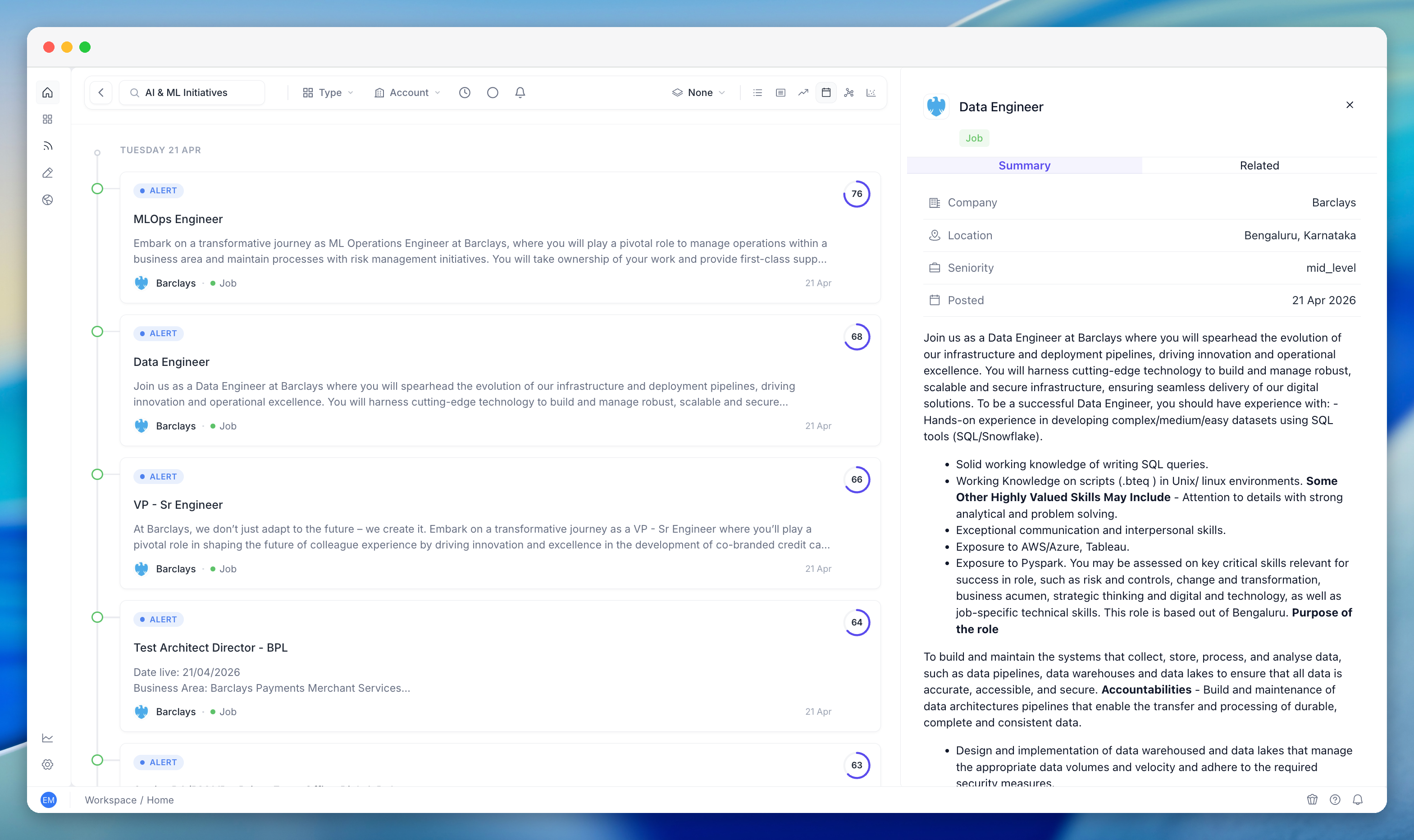
Seven agent types run continuously across every account on your watchlist: jobs, contacts, web mentions, annual reports, earnings calls, public filings, and strategic insight changes. When something changes, monitoring doesn't just notify you. It contextualises the signal, explains why it matters, and tells you what to do about it.

Signals are ranked by relevance, not just recency. A new VP of Engineering doesn't show up as "new contact detected." The alert maps their background to your solution and your buyer personas. Alerts can trigger Studio workflows automatically.

## Workspace

The cross-account layer of PG:AI. While Account gives you deep intelligence on a single company and Territory helps you prioritise, Workspace lets you search, explore, and monitor activity across your entire portfolio from one place.

### Unified Search

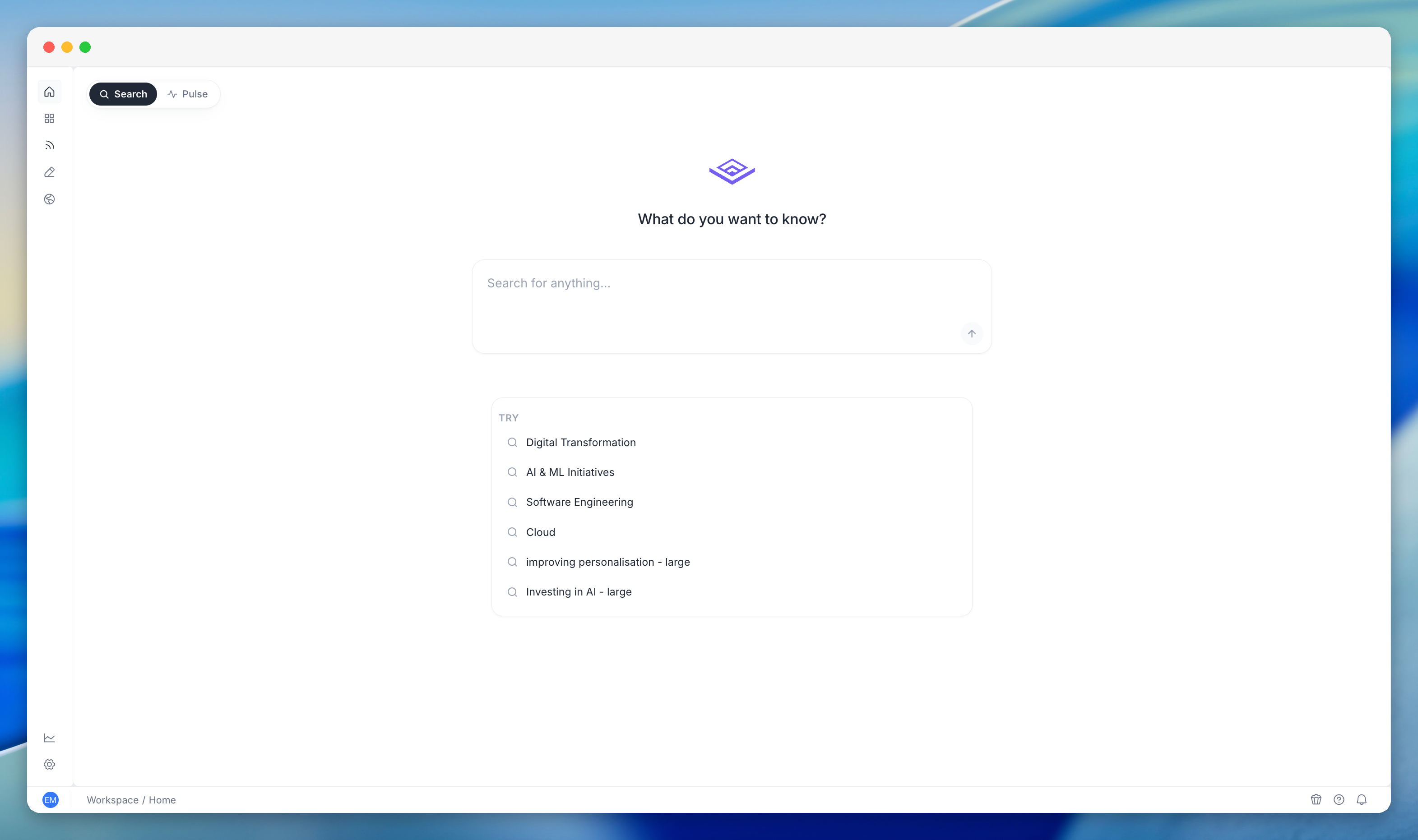
One search box for every piece of intelligence across all your accounts. Insights, contacts, jobs, public events, news mentions, web pages, technologies, internal documents, and conversations, all queryable from one place. Unified Search understands the meaning of your query and ranks results by relevance, not just keyword match. Instead of remembering which tab or system holds what, you type what you're looking for and get the answer.

<div className="my-4">
  <video src="https://res.cloudinary.com/dv8zk2qjf/video/upload/v1777651023/workspace-search_fz3jes.mp4" autoPlay controls muted playsInline preload="metadata" className="w-full rounded-xl">
    Sorry, your browser does not support embedded videos.
  </video>
</div>

The same search engine powers single-company timelines, dashboards, and the global search bar. Three scopes: a single account, your tracked book of business, or every account in your entire organisation. Three views: timeline (most recent first), company (grouped by account), and relevance graph (visual network showing how accounts and topics connect).

### Activity Pulse

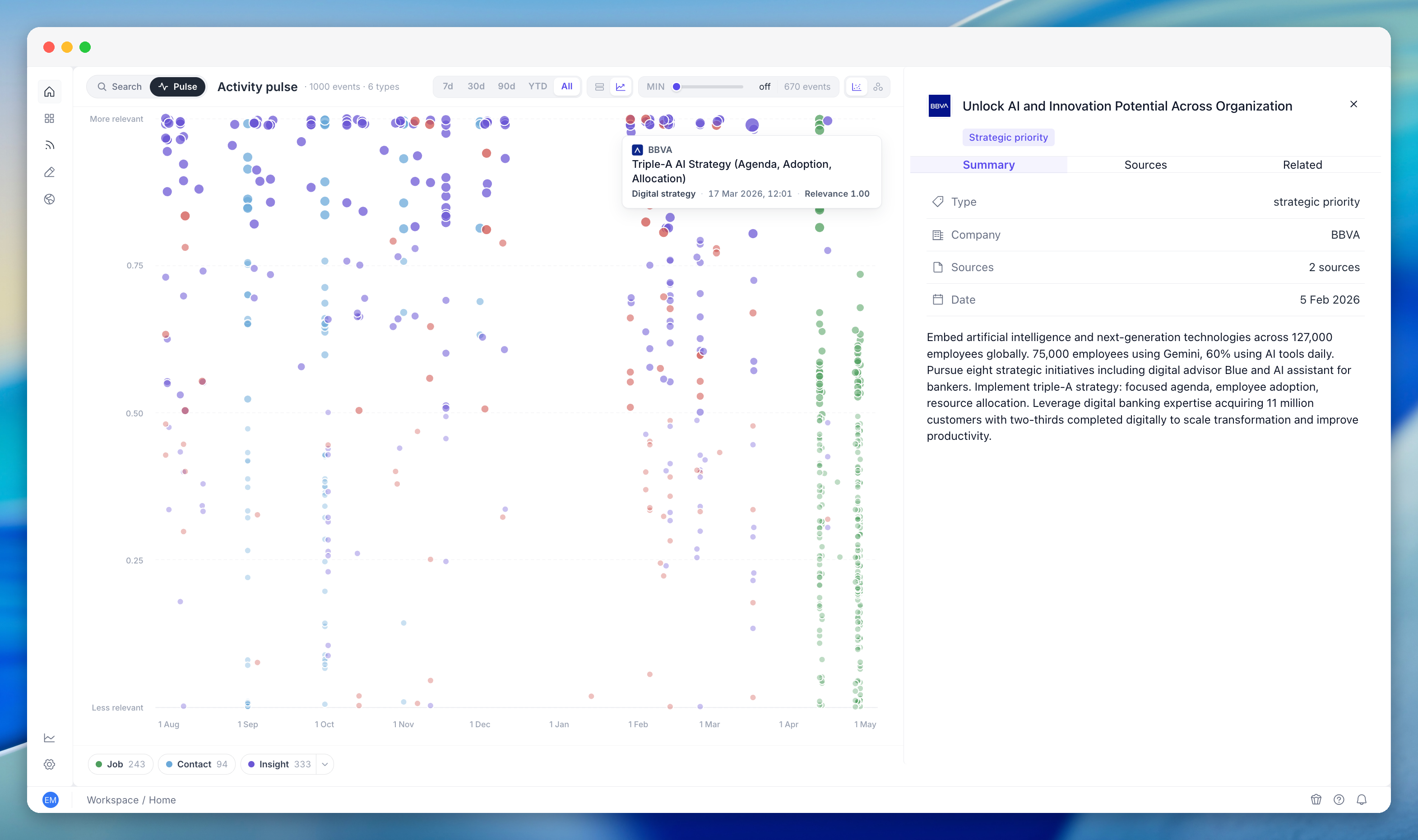
The dashboard sellers open first thing in the morning. Activity Pulse brings together every meaningful event from every account, strategic priorities, earnings calls, leadership changes, hiring activity, technology adoption, news mentions, and regulatory filings, so you can see what needs attention today.

<div className="my-4">
  <video src="https://res.cloudinary.com/dv8zk2qjf/video/upload/v1777651307/workspace-activity-pulse_wkrofr.mp4" autoPlay controls muted playsInline preload="metadata" className="w-full rounded-xl">
    Sorry, your browser does not support embedded videos.
  </video>
</div>

Built-in weighting ensures high-signal events stand out from routine noise. A new strategic priority from an earnings call reads differently from a standard job posting. A company posting a thousand jobs in a week won't drown out three earnings-call insights from the same period. You don't need to configure it. Activity Pulse understands which events matter most and surfaces them accordingly.

## Contacts

<CardGroup cols={2}>
  <Card title="Enhanced discovery" icon="user-magnifying-glass">
    Better contact discovery with more sources and higher match rates.
  </Card>

  <Card title="Phone & email enrichment" icon="address-book">
    Direct phone numbers and verified email addresses, enriched automatically.
  </Card>

  <Card title="Org charts" icon="sitemap">
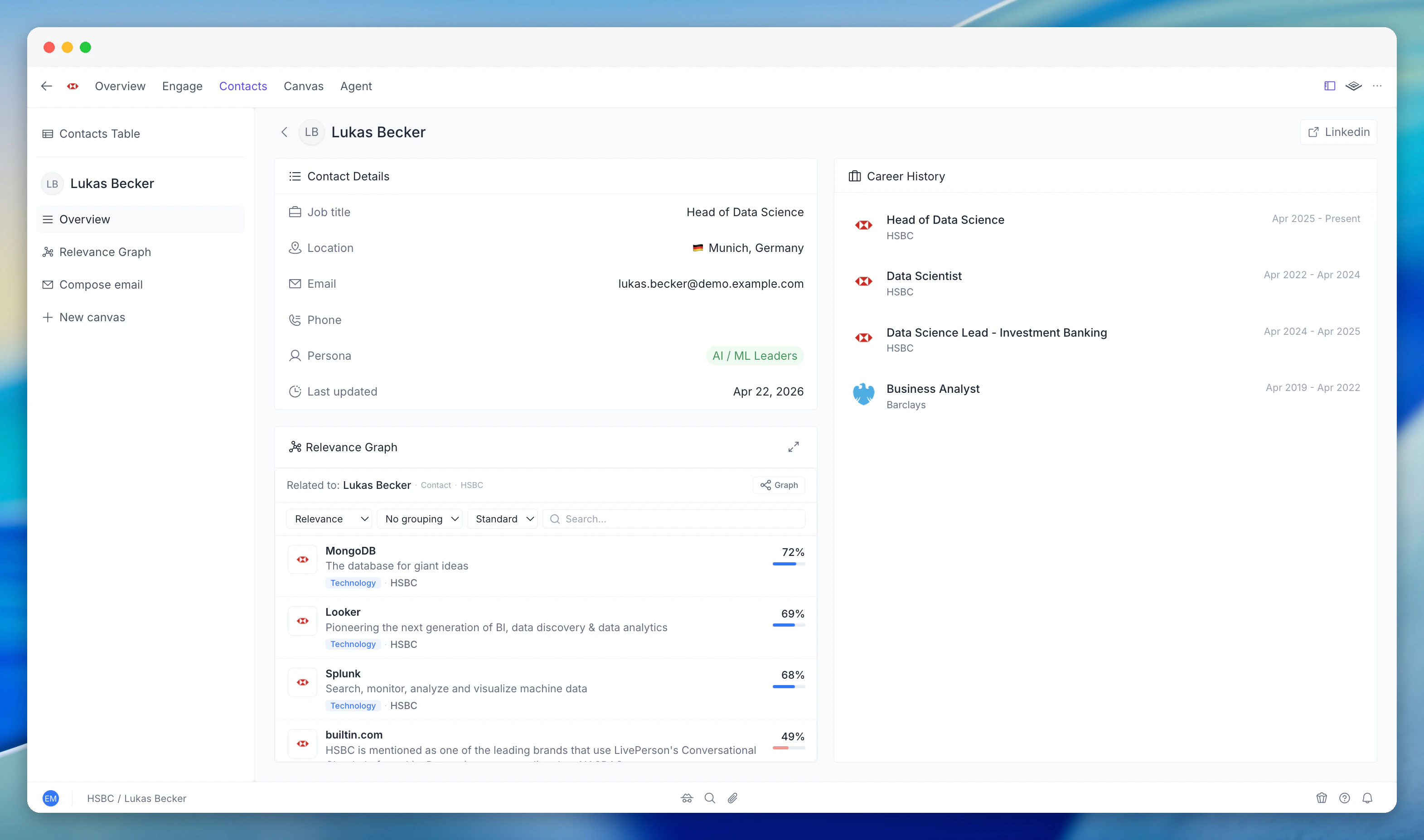
    Visual org charts showing reporting lines and team structures, built from enrichment data.
  </Card>

  <Card title="Contact monitoring" icon="bell-on">
    Track job changes, promotions, and departures for key contacts across your accounts.
  </Card>
</CardGroup>

## Faster enrichment

Account enrichment is **3-4x faster**. What used to take 5-10 minutes now completes in 2-3. The underlying pipeline parallelises research across data sources, so you're waiting less and working sooner.

## New interface

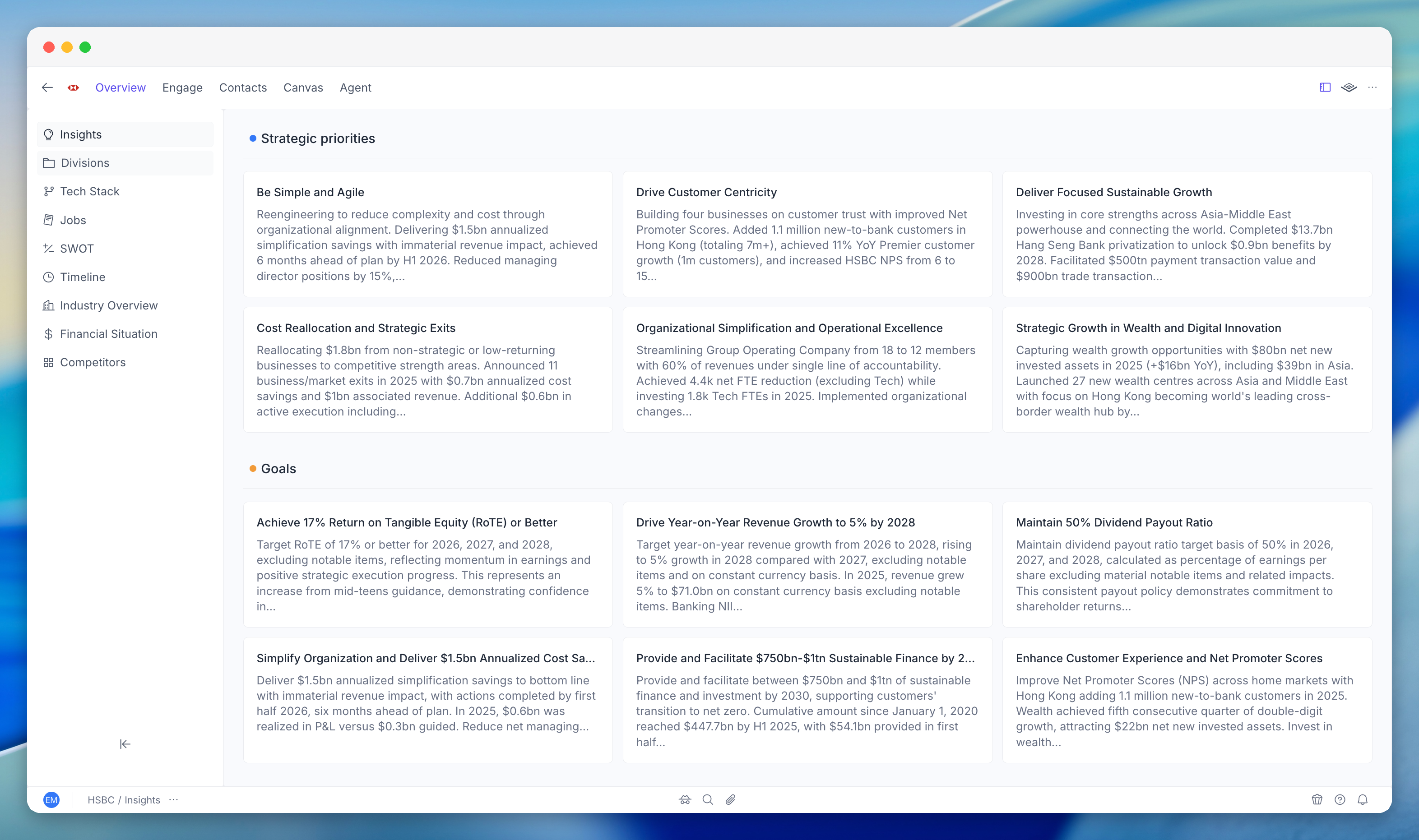
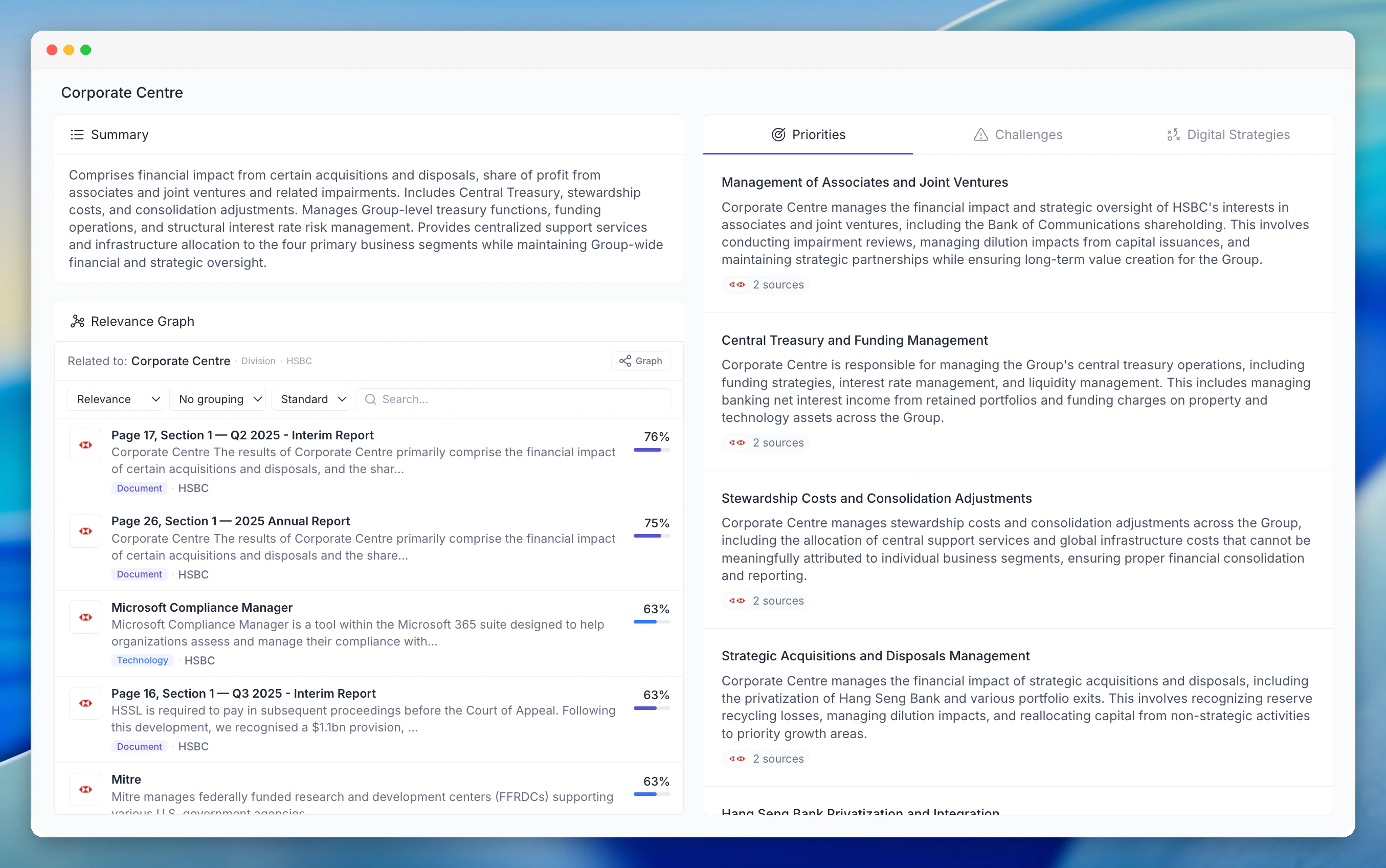
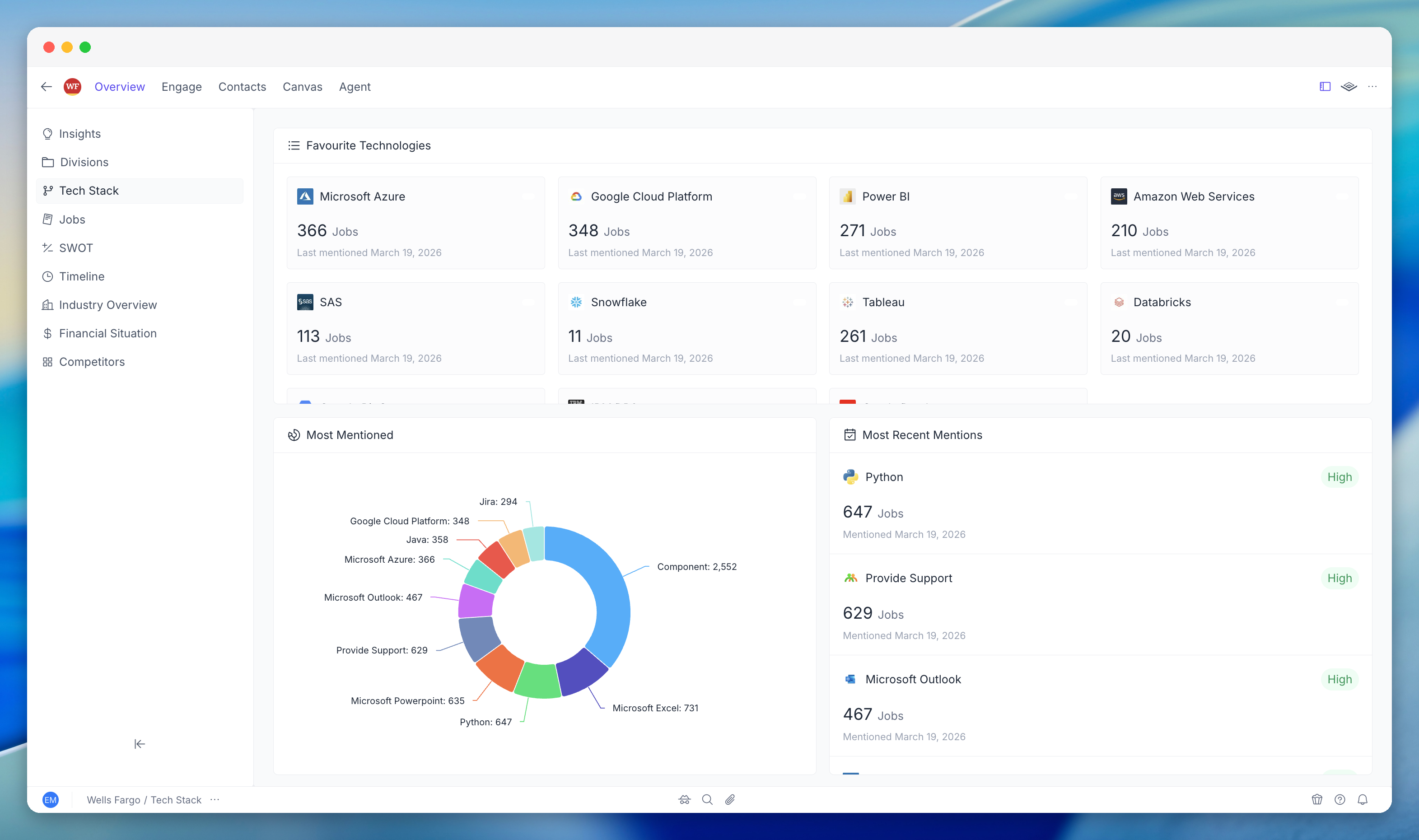
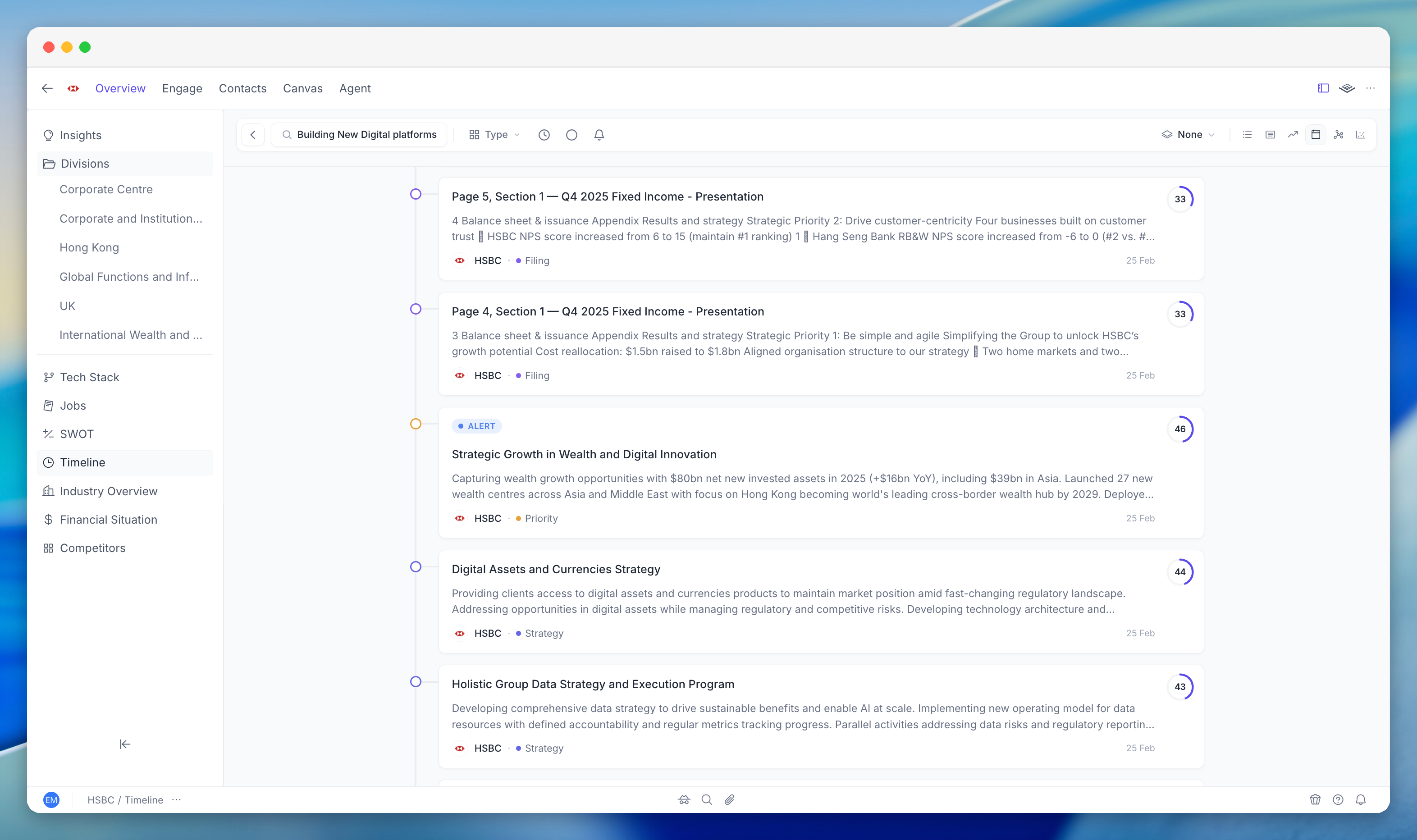
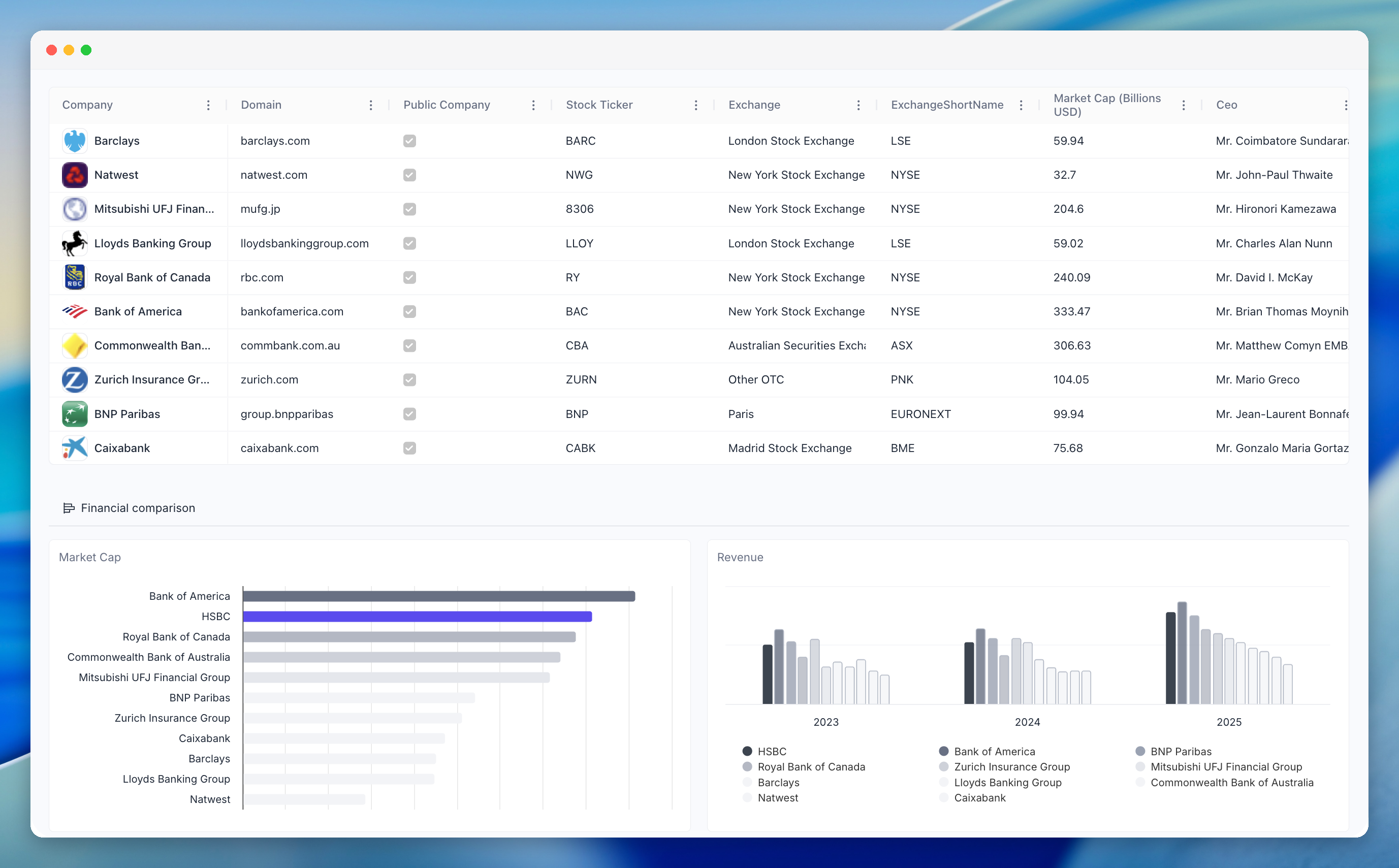
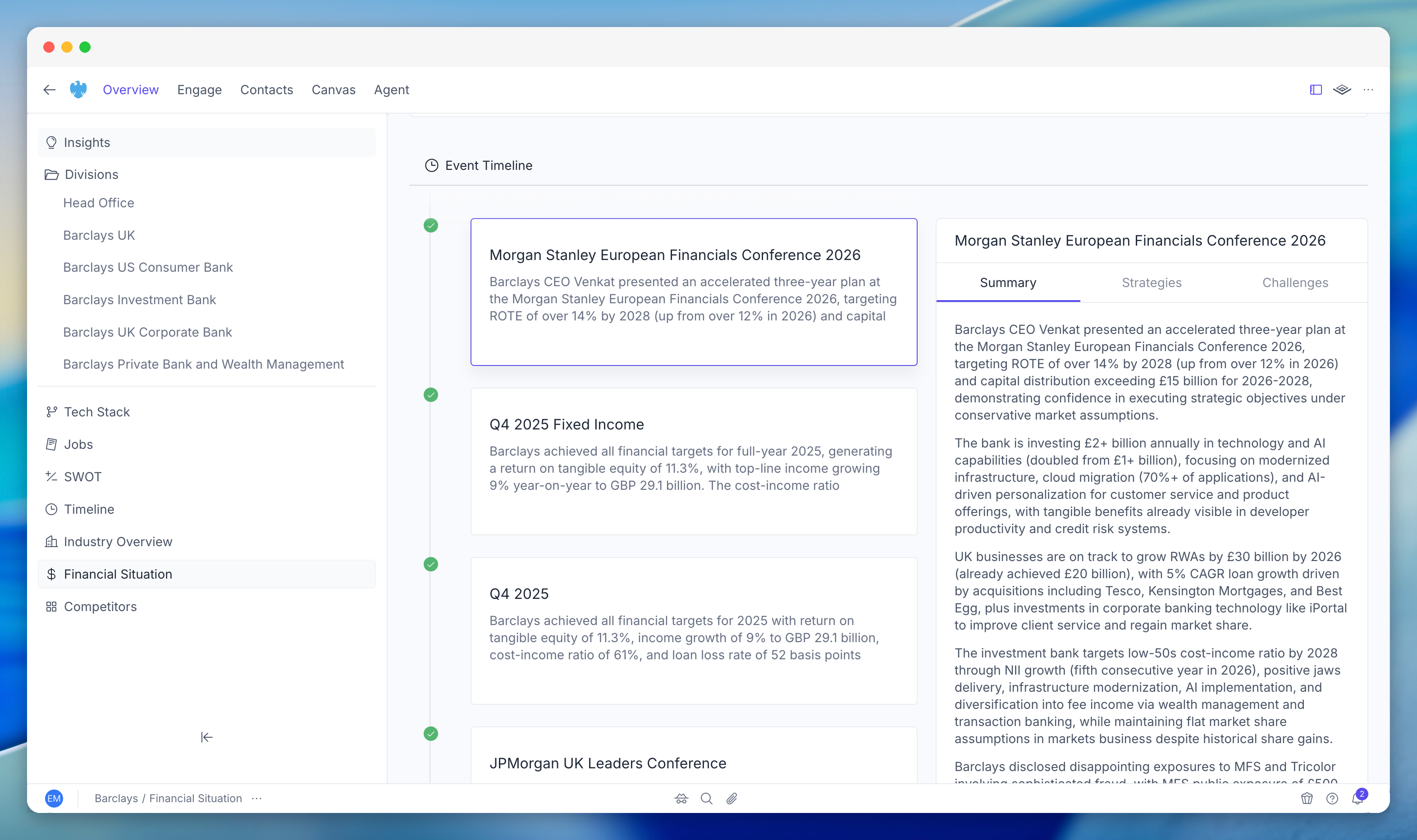
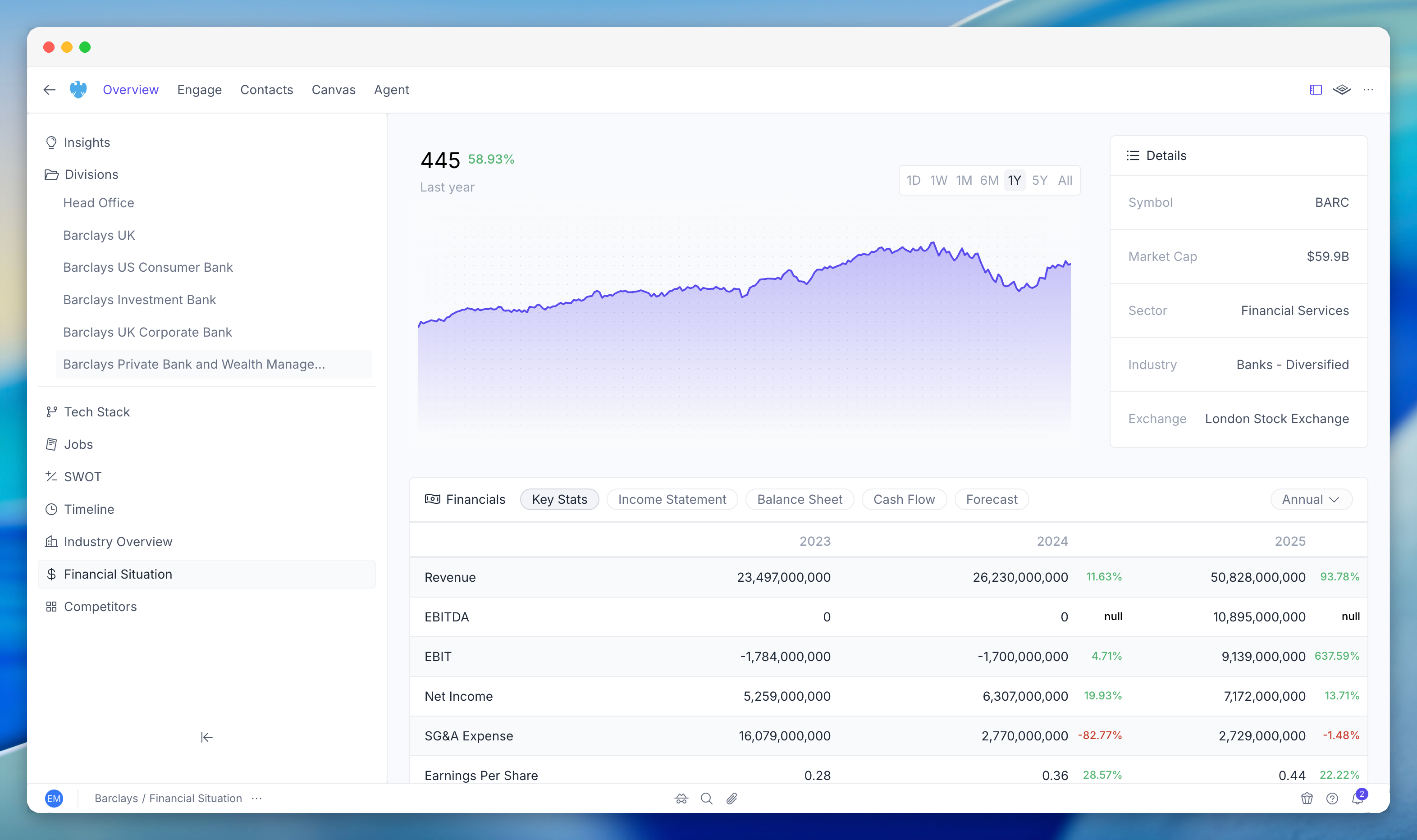
A completely new UI that's faster to navigate and better to look at. The company view retains the same structure you're used to, but surfaces more data in a cleaner layout.

<div className="my-6">
  <div className="mb-3 text-sm font-medium text-gray-500 dark:text-gray-400">
    Product tour - scroll sideways to preview the new interface
  </div>

  <div className="flex gap-4 overflow-x-auto pb-4">
    <img src="https://mintcdn.com/pgai/Z1FdOFLBQxp1p4R-/images/app/cleanshot-screenshots/001-cleanshot-2026-04-30-at-00-25-27-2-framed-bg.png?fit=max&auto=format&n=Z1FdOFLBQxp1p4R-&q=85&s=d3099170376691f1af2ded29dfd69827" alt="PG:AI V2 product tour screenshot 1" className="min-w-[85%] rounded-xl shadow-sm" width="3144" height="1932" data-path="images/app/cleanshot-screenshots/001-cleanshot-2026-04-30-at-00-25-27-2-framed-bg.png" />

    <img src="https://mintcdn.com/pgai/Z1FdOFLBQxp1p4R-/images/app/cleanshot-screenshots/007-cleanshot-2026-04-30-at-10-09-30-framed-bg.png?fit=max&auto=format&n=Z1FdOFLBQxp1p4R-&q=85&s=c9fe45a4b4402c47d271badcc221e1be" alt="PG:AI V2 product tour screenshot 2" className="min-w-[85%] rounded-xl shadow-sm" width="3144" height="1862" data-path="images/app/cleanshot-screenshots/007-cleanshot-2026-04-30-at-10-09-30-framed-bg.png" />

    <img src="https://mintcdn.com/pgai/Z1FdOFLBQxp1p4R-/images/app/cleanshot-screenshots/031-cleanshot-2026-04-30-at-16-20-18-framed-bg.png?fit=max&auto=format&n=Z1FdOFLBQxp1p4R-&q=85&s=ce2ce8d168d4d8f739da97c5729d2b97" alt="PG:AI V2 product tour screenshot 3" className="min-w-[85%] rounded-xl shadow-sm" width="3142" height="1862" data-path="images/app/cleanshot-screenshots/031-cleanshot-2026-04-30-at-16-20-18-framed-bg.png" />

    <img src="https://mintcdn.com/pgai/Z1FdOFLBQxp1p4R-/images/app/cleanshot-screenshots/035-cleanshot-2026-04-30-at-18-56-37-framed-bg.png?fit=max&auto=format&n=Z1FdOFLBQxp1p4R-&q=85&s=26384c58cfebf75696e3744eb0403d76" alt="PG:AI V2 product tour screenshot 4" className="min-w-[85%] rounded-xl shadow-sm" width="3138" height="1864" data-path="images/app/cleanshot-screenshots/035-cleanshot-2026-04-30-at-18-56-37-framed-bg.png" />

    <img src="https://mintcdn.com/pgai/Z1FdOFLBQxp1p4R-/images/app/cleanshot-screenshots/038-cleanshot-2026-04-30-at-19-01-55-framed-bg.png?fit=max&auto=format&n=Z1FdOFLBQxp1p4R-&q=85&s=f5a8faef1ffc7a60ded8a899fffdeab4" alt="PG:AI V2 product tour screenshot 5" className="min-w-[85%] rounded-xl shadow-sm" width="3142" height="1862" data-path="images/app/cleanshot-screenshots/038-cleanshot-2026-04-30-at-19-01-55-framed-bg.png" />

    <img src="https://mintcdn.com/pgai/Z1FdOFLBQxp1p4R-/images/app/cleanshot-screenshots/009-cleanshot-2026-04-30-at-10-17-29-framed-bg.png?fit=max&auto=format&n=Z1FdOFLBQxp1p4R-&q=85&s=d8218f7f1b1c5e6724c334b22aebb655" alt="PG:AI V2 product tour screenshot 6" className="min-w-[85%] rounded-xl shadow-sm" width="3144" height="1862" data-path="images/app/cleanshot-screenshots/009-cleanshot-2026-04-30-at-10-17-29-framed-bg.png" />

    <img src="https://mintcdn.com/pgai/Z1FdOFLBQxp1p4R-/images/app/cleanshot-screenshots/015-cleanshot-2026-04-30-at-10-22-40-framed-bg.png?fit=max&auto=format&n=Z1FdOFLBQxp1p4R-&q=85&s=244cb0dfcba645896a0775f5f2011073" alt="PG:AI V2 product tour screenshot 7" className="min-w-[85%] rounded-xl shadow-sm" width="2710" height="1697" data-path="images/app/cleanshot-screenshots/015-cleanshot-2026-04-30-at-10-22-40-framed-bg.png" />

    <img src="https://mintcdn.com/pgai/Z1FdOFLBQxp1p4R-/images/app/cleanshot-screenshots/040-cleanshot-2026-04-30-at-14-54-15-framed-bg.png?fit=max&auto=format&n=Z1FdOFLBQxp1p4R-&q=85&s=8b342fecd219b73d6daa6b6454131906" alt="PG:AI V2 product tour screenshot 8" className="min-w-[85%] rounded-xl shadow-sm" width="3142" height="1860" data-path="images/app/cleanshot-screenshots/040-cleanshot-2026-04-30-at-14-54-15-framed-bg.png" />

    <img src="https://mintcdn.com/pgai/Z1FdOFLBQxp1p4R-/images/app/cleanshot-screenshots/016-cleanshot-2026-04-30-at-10-25-08-framed-bg.png?fit=max&auto=format&n=Z1FdOFLBQxp1p4R-&q=85&s=bfc35c3a3f4e9b08b6548a20d8d27bee" alt="PG:AI V2 product tour screenshot 9" className="min-w-[85%] rounded-xl shadow-sm" width="3144" height="1864" data-path="images/app/cleanshot-screenshots/016-cleanshot-2026-04-30-at-10-25-08-framed-bg.png" />

    <img src="https://mintcdn.com/pgai/Z1FdOFLBQxp1p4R-/images/app/cleanshot-screenshots/020-cleanshot-2026-04-30-at-10-29-52-framed-bg.png?fit=max&auto=format&n=Z1FdOFLBQxp1p4R-&q=85&s=301da5316a218e78d759ce143106b18c" alt="PG:AI V2 product tour screenshot 10" className="min-w-[85%] rounded-xl shadow-sm" width="2754" height="1709" data-path="images/app/cleanshot-screenshots/020-cleanshot-2026-04-30-at-10-29-52-framed-bg.png" />

    <img src="https://mintcdn.com/pgai/Z1FdOFLBQxp1p4R-/images/app/cleanshot-screenshots/023-cleanshot-2026-04-30-at-15-02-06-framed-bg.png?fit=max&auto=format&n=Z1FdOFLBQxp1p4R-&q=85&s=77ca922d93381391c25077455ba333fd" alt="PG:AI V2 product tour screenshot 11" className="min-w-[85%] rounded-xl shadow-sm" width="3142" height="1854" data-path="images/app/cleanshot-screenshots/023-cleanshot-2026-04-30-at-15-02-06-framed-bg.png" />

    <img src="https://mintcdn.com/pgai/Z1FdOFLBQxp1p4R-/images/app/cleanshot-screenshots/025-cleanshot-2026-04-30-at-15-03-12-framed-bg.png?fit=max&auto=format&n=Z1FdOFLBQxp1p4R-&q=85&s=9e179e5461fac087c02ceadaca172811" alt="PG:AI V2 product tour screenshot 12" className="min-w-[85%] rounded-xl shadow-sm" width="3140" height="1856" data-path="images/app/cleanshot-screenshots/025-cleanshot-2026-04-30-at-15-03-12-framed-bg.png" />

    <img src="https://mintcdn.com/pgai/LqygFfqdglBkefcS/images/app/account/company-overview-financial-situation-events-timeline-framed.png?fit=max&auto=format&n=LqygFfqdglBkefcS&q=85&s=7b682fc1d918c89d2613b094914cc484" alt="Financial situation events timeline in PG:AI V2" className="min-w-[85%] rounded-xl shadow-sm" width="3144" height="1864" data-path="images/app/account/company-overview-financial-situation-events-timeline-framed.png" />

    <img src="https://mintcdn.com/pgai/LqygFfqdglBkefcS/images/app/account/company-overview-financial-situation-framed.png?fit=max&auto=format&n=LqygFfqdglBkefcS&q=85&s=575a6f9afc202aba5500064528bad893" alt="Financial situation in PG:AI V2" className="min-w-[85%] rounded-xl shadow-sm" width="3144" height="1864" data-path="images/app/account/company-overview-financial-situation-framed.png" />
  </div>
</div>

## Platform & integrations

<CardGroup cols={2}>
  <Card title="Public API" icon="code" href="/api/overview">
    Programmatic access to PG:AI: companies, contacts, intelligence, the agent, and more. Build integrations, automate workflows, and pull PG:AI data into your existing tools.
  </Card>

  <Card title="MCP Server" icon="plug" href="/platform/mcp/overview">
    Connect PG:AI to AI tools that support MCP (Model Context Protocol). Use PG:AI intelligence directly from Claude, Cursor, and other MCP-compatible clients.
  </Card>

  <Card title="Organisation analytics" icon="chart-mixed" href="/settings/analytics">
    Enhanced analytics for admins and team leaders. Track adoption, usage patterns, and team activity across the platform.
  </Card>
</CardGroup>

## Getting started

If you're an existing user, everything has been migrated. Your accounts, contacts, and intelligence data are all in V2, ready to go. Log in and explore.

If you're new to PG:AI:

<CardGroup cols={2}>
  <Card title="Quick start" icon="rocket" href="/get-started/quickstart">
    Add your first accounts and see intelligence in minutes.
  </Card>

  <Card title="For AEs & SCs" icon="handshake" href="/get-started/for-aes-scs">
    How account executives and solutions consultants use PG:AI day to day.
  </Card>

  <Card title="For BDRs" icon="phone" href="/get-started/for-bdrs">
    How business development reps use PG:AI for prospecting and outreach.
  </Card>

  <Card title="Agent guide" icon="robot" href="/studio/the-agent">
    What the agent can do and how to get the most out of it.
  </Card>
</CardGroup>